Getting Started
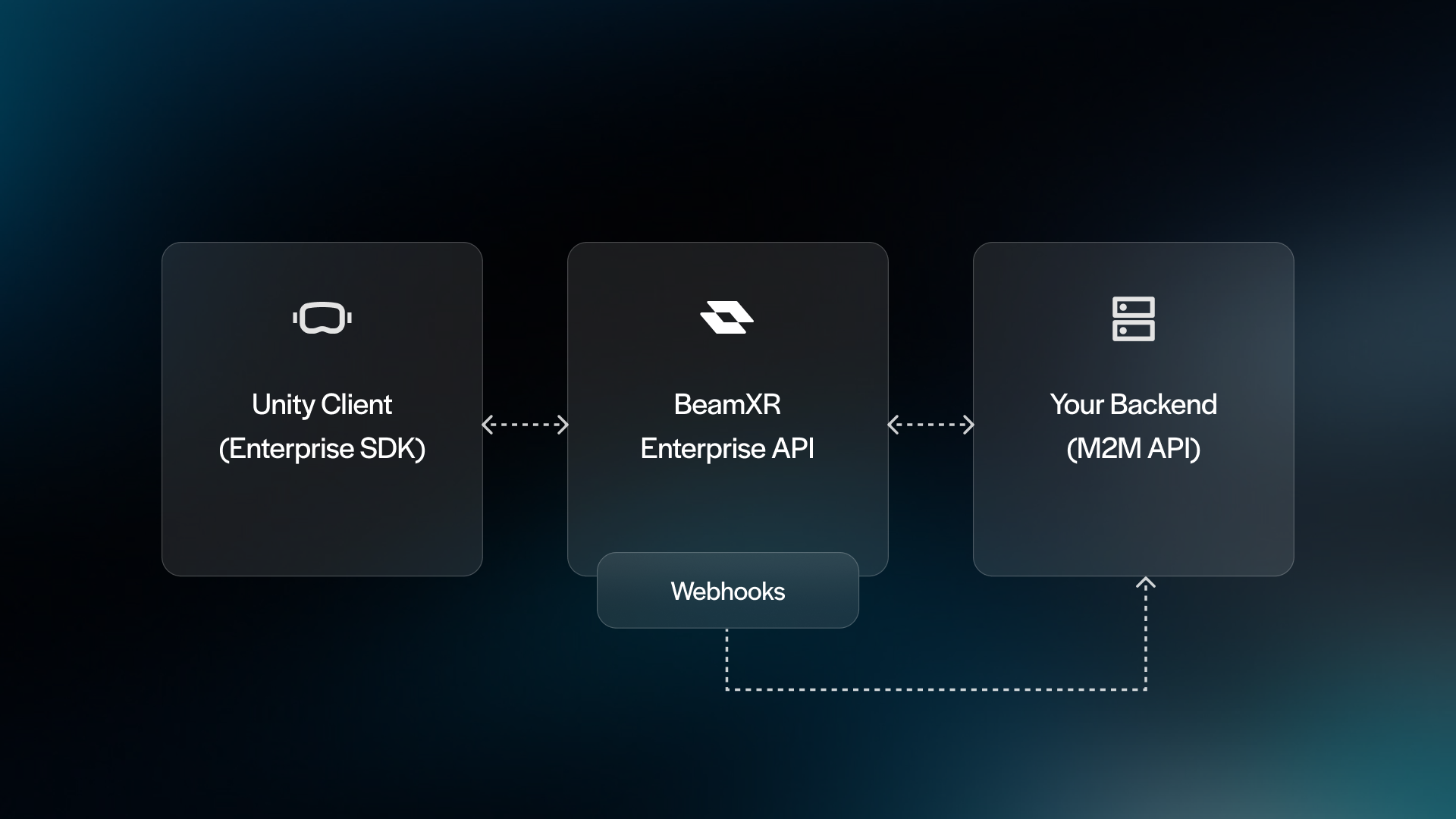
BeamXR Enterprise lets you stream, record, and monitor XR sessions in real time. Your Unity application connects to the BeamXR Enterprise API via the SDK. Your backend (or Postman) uses the M2M API to observe sessions, watch live streams, send commands to devices, and retrieve recordings.
Key Concepts
- Session - a single usage period from one device. Created when a user launches your app (or manually in the editor). Everything else hangs off a session.
- Cohort - a label you assign to group sessions together. You define what it means - a class of students, a QA test run, a user study batch, etc.
- Stream - a live video feed from a session. A session can exist without a stream. Starting a stream generates a Streaming Session ID you use to watch or record it.
- Recording - a captured segment of a stream. A stream can have multiple recordings.
- Events - timestamped data points tied to a session. Some are automatic (device health, screenshots), others you send yourself. Events are queryable via the API or pushed to you in real time via webhooks.
- Commands - instructions sent from your backend to a live Unity client, such as start/stop stream, camera control, text messages, and custom data.
Prerequisites
- Your Client ID, Client Secret, and App ID (provided by BeamXR)
- Postman with the BeamXR Enterprise API collection imported
- A Unity project set up and ready to stream